Trouver un document
La page Fichiers est l'endroit où vit chaque document. Factures transférées, permis, plans, photos. Après quelques mois de chantier, la liste s'allonge. Trois commandes la gardent gérable.
01Où regarder
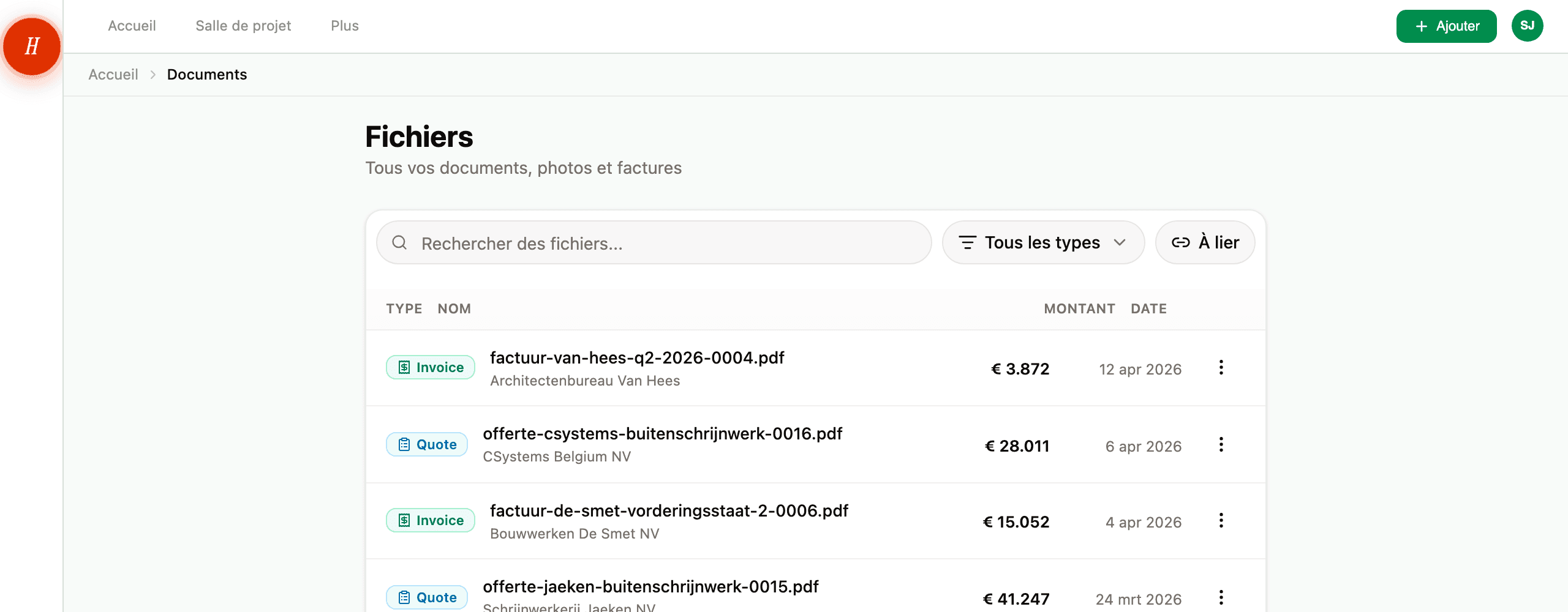
Ouvrez Fichiers depuis la navigation principale. Vous voyez une liste de chaque document de votre projet, du plus récent au plus ancien.
En haut de la liste :
- Une barre de recherche.
- Un menu déroulant type — Tous les types, Factures, Devis, Permis, Plans, Photos, Inspiration, Docs techniques, Autres.
- Un bouton À lier qui filtre sur les factures et devis qui ne sont pas encore liés à une ligne budgétaire.
02Rechercher
La barre de recherche regarde dans cinq champs à la fois pour ce que vous tapez :
- Le nom du document.
- La description.
- Le nom du fichier (le
.pdforiginal que votre entrepreneur a envoyé). - Le nom de l'entrepreneur ou de l'organisation.
- Vos étiquettes.
Donc si vous vous souvenez du nom de l'entrepreneur, cherchez par ça. Si vous vous souvenez du nom du fichier, cherchez par ça. Si vous l'avez étiqueté electrical, cherchez par ça. Le bout dont vous vous souvenez, tapez-le.
La recherche est partielle : taper electr correspond à « electrical », « electricity », et tout entrepreneur avec electr dans le nom. La casse n'a pas d'importance pour la plupart des champs, mais la correspondance des étiquettes est exacte — donc electrical trouve l'étiquette electrical, pas Electrical.
Vous pouvez combiner la recherche avec le filtre de type. Tapez « Van Houten » et choisissez Factures pour voir uniquement les factures de cet entrepreneur.
03Filtrer par type
Le menu déroulant des types restreint à un seul type de document à la fois. Utile quand vous savez que ce que vous cherchez est une facture, mais que vous ne vous rappelez pas l'entrepreneur. Choisissez Factures et faites défiler. Sur un téléphone, le menu est une rangée de pastilles : Tout, Plans, Factures, Devis et Permis. Faites glisser la rangée et touchez-en une.
Les libellés correspondent aux huit types dans lesquels Hemma classe — voir quels types de documents Hemma comprend pour ce que chacun signifie.
04Le filtre « À lier »
Quand une facture ou un devis arrive, Hemma extrait les montants mais ne suppose pas à quelle ligne budgétaire ils appartiennent. C'est votre choix. Le bouton À lier filtre la liste sur les factures et devis qui n'ont pas encore été liés — votre pile de suivi, en une vue.
Une fois que vous liez une facture à une ligne budgétaire, elle disparaît de ce filtre. Donc une vue À lier vide signifie que vous êtes à jour.
05Questions courantes
Mon document n'est pas dans la liste. Hemma l'a-t-il perdu ? Presque certainement pas. Il est peut-être filtré par le type actuel ou le bouton à lier, ou retenu comme doublon, ou en attente dans la salle d'attente des expéditeurs. Voir je ne trouve pas un document que j'ai uploadé pour le diagnostic complet.
Puis-je rechercher par date ? Pas directement dans la barre de recherche. La liste est déjà triée du plus récent au plus ancien, donc faire défiler jusqu'à approximativement la date voulue est généralement plus rapide qu'une recherche. Pour des plages de dates précises, utilisez le calendrier — chaque document avec une date attachée y apparaît.
Puis-je enregistrer une recherche ? Pas encore. La combinaison du texte de recherche et du filtre de type est dans l'URL, vous pouvez donc marquer une vue particulière dans votre navigateur.
06En cas de problème
- La recherche ne renvoie rien pour un document dont vous êtes sûr·e qu'il existe ? Voir je ne trouve pas un document que j'ai uploadé.
- Un e-mail que vous avez transféré n'est même pas sur la page Fichiers ? Voir un e-mail que j'ai transféré n'est pas arrivé.