How email forwarding works
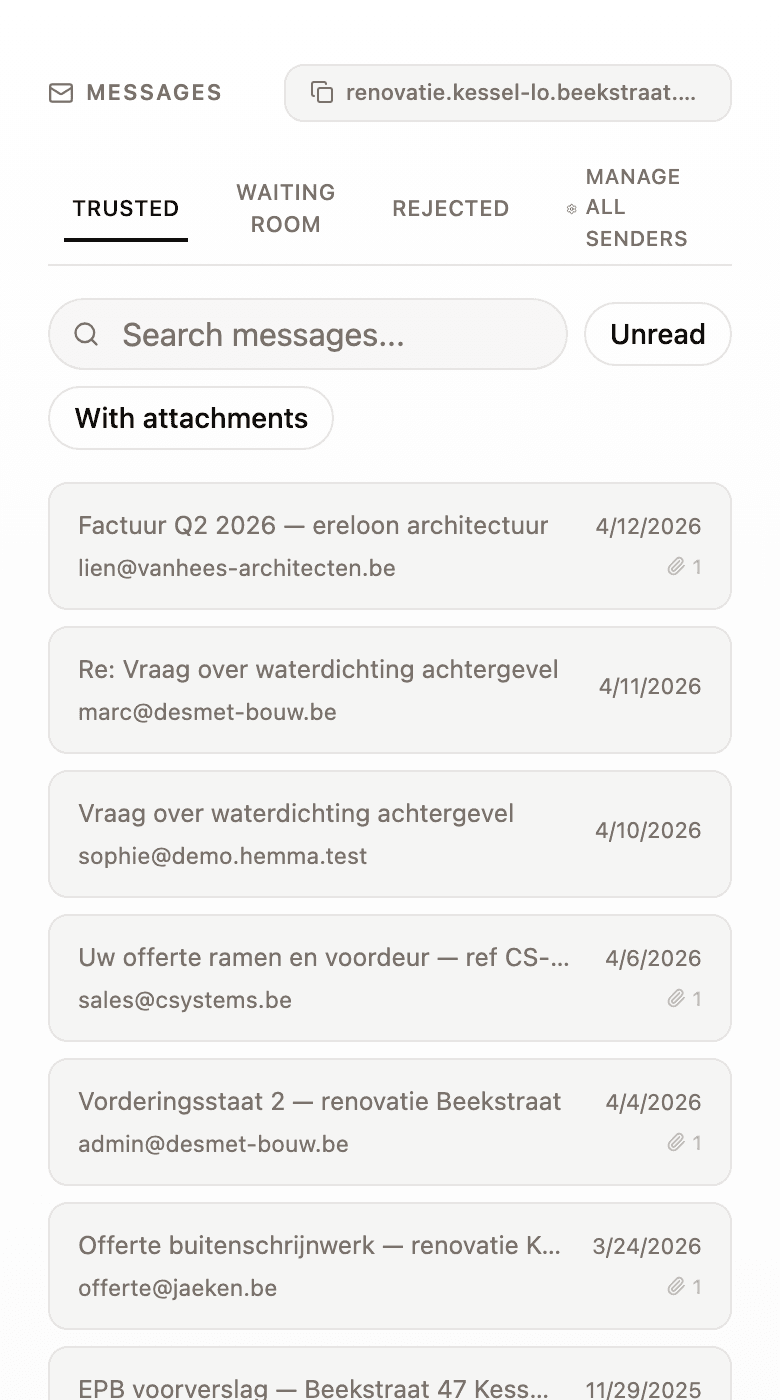
Every Hemma project gets its own email address. Forward an invoice to it, or give it to your contractor. Hemma receives the message, processes the attachments, and handles the rest. One email, everything taken care of.
01How it works
You have two options. You can forward an email you receive to your project address. Or you give the address directly to your contractor, architect, or municipality, so they send everything straight to Hemma.
Once Hemma receives an email, everything happens automatically. Attachments are separated and processed individually. Every PDF and image is read by AI. Amounts, dates, contractor names. Everything is extracted. If there is a due date, it shows up on your calendar.
You will find your project email address under Settings → Project, or on your home screen. Copy it and you are good to go.
02What Hemma does with your attachments
Every attachment is processed separately. Hemma first figures out what it is: an invoice, a quote, a permit, a plan, a photo. That determines what happens next.
For invoices and quotes, Hemma extracts everything: the total amount, VAT, the contractor, the invoice number, the due date. That data is linked to your budget. You see immediately what changed.
Photos and plans are stored and tagged. Technical documents are kept with their metadata. Everything is searchable under your documents.
One email with three attachments? Hemma creates three separate documents. Each one is classified and processed individually.
03What Hemma reads from the email itself
It is not just the attachments that matter. Hemma reads the email itself too.
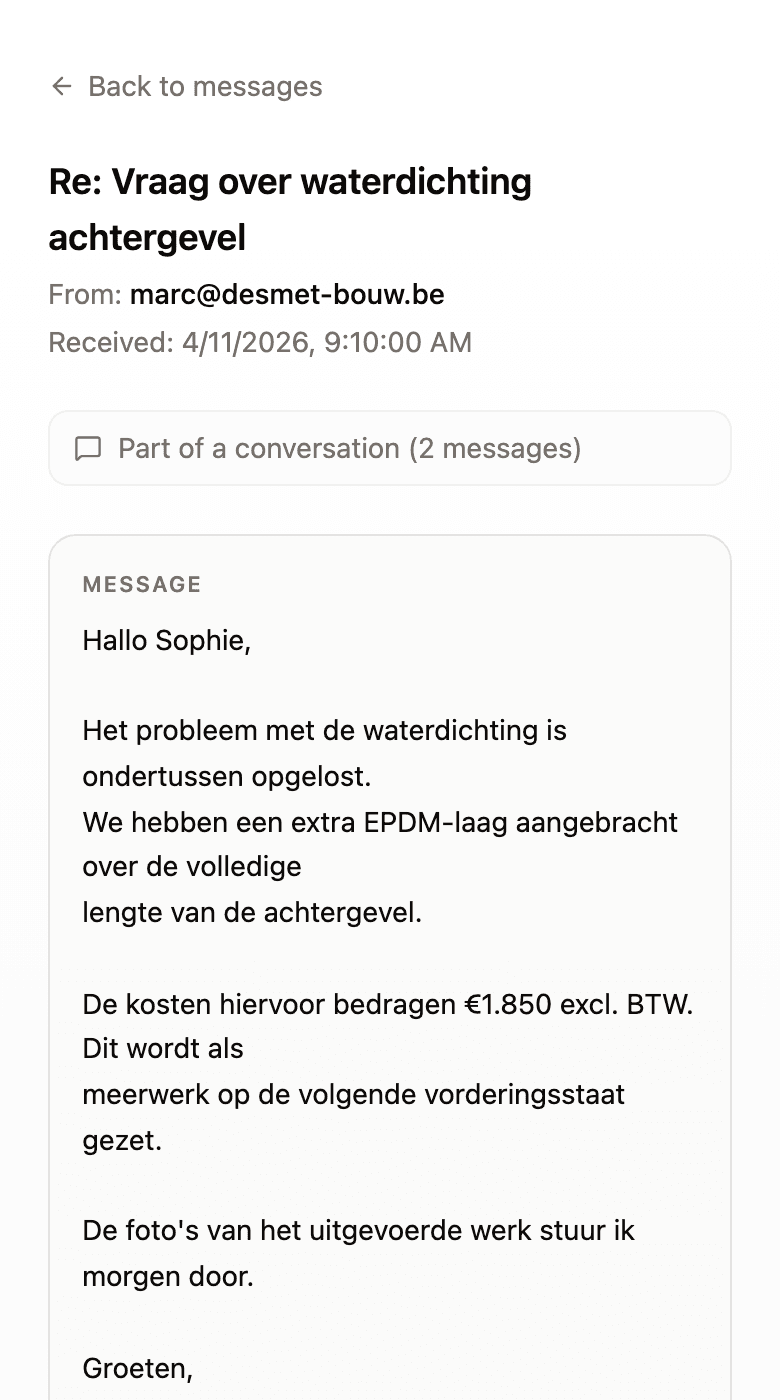
If your contractor writes that he is coming on Tuesday, or that the delivery is delayed, or that there is an extra cost, Hemma picks that up. Appointments and deadlines are turned into calendar items. Important information is saved as a note on the message.
Forwarded emails with long threads are no problem. Hemma recognises old replies and repeated signatures, and filters them out. Only the relevant content gets processed.
Feel free to forward entire email threads. Hemma reads only the new part and ignores what is underneath.
04What gets filtered out
Not every attachment is useful. Hemma knows that.
- Signature images, recognised by filename patterns like
signature.png. - Logos, small inline images like
logo.pngorimage001.png. - Footer images and spacers, layout elements with no content.
- Anything that isn't a PDF or an image. Hemma only processes those two types, so spreadsheets, archives, and executables are skipped.
You do not lose anything. On the detail page of each message, you see exactly what was processed and what was skipped, and why. Nothing disappears without explanation.
05How to tell your contractor
You do not need to explain Hemma. Just send this message:
«Hi, could you send invoices and quotes to [your project email address] from now on? They will be processed automatically. Thanks!»
That is all. Your contractor does not need to know what Hemma is. They send an email, you have your document.
The same goes for your architect, your municipality, your insurer. Anyone who sends you documents can use that address.