Een document blijft in "Nazicht nodig" hangen
01Wat je ziet
Een document draagt de badge Nazicht nodig en de oranje strook bovenaan je pagina Bestanden blijft het tellen. Uren, misschien dagen zijn verstreken. Het lost zichzelf niet op.
02Wat je ziet
Een document draagt de badge Nazicht nodig en de oranje strook bovenaan je pagina Bestanden blijft het tellen. Uren, misschien dagen zijn verstreken. Het lost zichzelf niet op.
03Meest waarschijnlijke oorzaak
Het wacht op jou. Nazicht nodig is geen "in uitvoering"-staat, het is een "input van gebruiker nodig"-staat. Hemma leest elke factuur twee keer en laat een derde model de verschillen zelf uitzoeken tegen het document. Wat daarna overblijft, is het kleine restje waar Hemma niet zeker genoeg van is om het zonder jouw blik door te laten, plus documenten waarvan het type onduidelijk is. Het geeft die aan jou en wacht.
De oplossing: open het document. De detailpagina wordt een nazichtscherm. Kies het juiste type, of leg de gegevens die Hemma eruit haalde naast het document en tik op Gegevens bevestigen. Het document gaat onmiddellijk naar Vertrouwd.
Zie Een extractie nakijken en corrigeren voor de volledige uitleg per nazichtscherm.
04Andere dingen om te controleren
-
Je hebt bevestigd maar de badge is niet veranderd. Vernieuw de pagina. De strook pollt om de paar seconden en de badge update mee. Toont hij hem nog na een vernieuwen, dan is de bevestiging mogelijk niet bewaard — controleer je netwerkverbinding en probeer opnieuw.
-
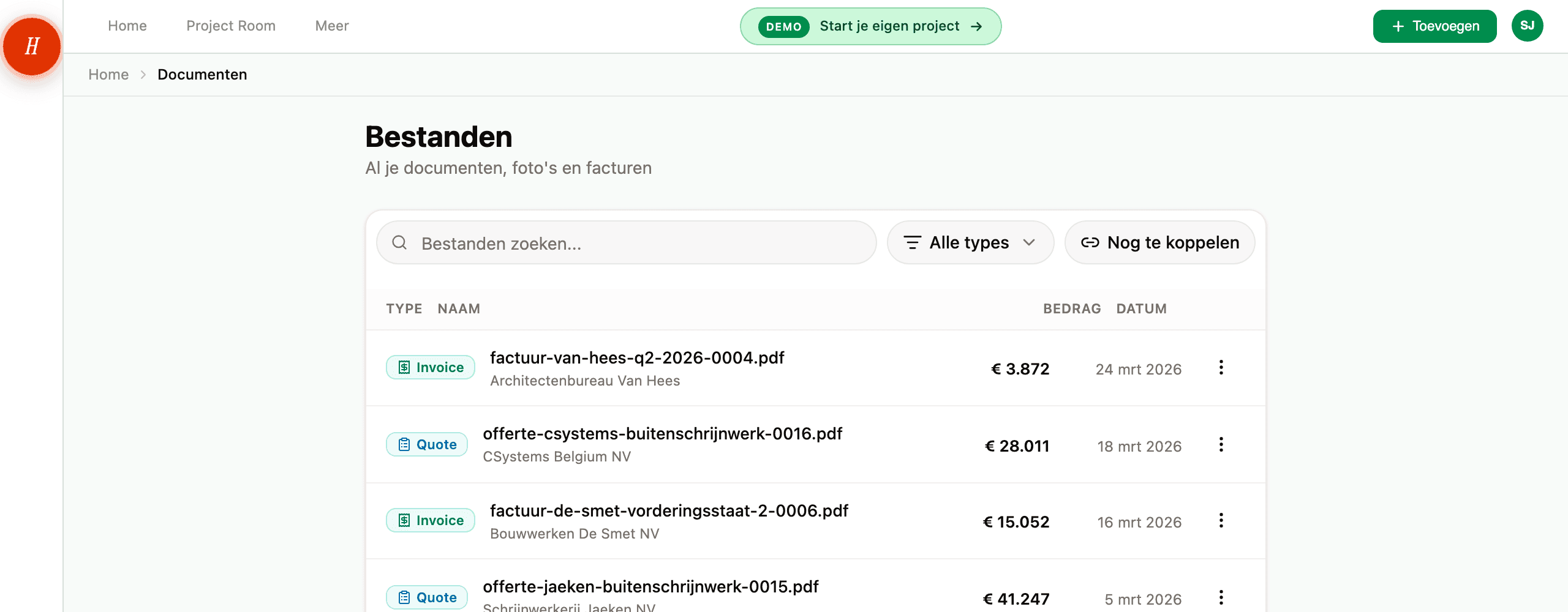
Het document is er één van meerdere die wachten. De oranje strook toont het totale aantal, niet welk document. Tik op Nazicht nodig in de strook om de lijst Bestanden te filteren op enkel diegenen die jou nodig hebben. Loop ze in volgorde af.
-
Je ziet "Help me identificeren" maar de dropdown bevat het juiste type niet. Kies Andere. Hemma bewaart het bestand onaangeroerd en je kunt het vanaf de detailpagina hernoemen en taggen.
-
Het gaat over een veld dat voor jou niet uitmaakt. Bevestig gewoon. Bevestigen is wat de budgetimpact stroomafwaarts ontgrendelt: zonder dat telt de factuur nooit mee voor je uitgaven.
-
Een waarde op het scherm klopt niet. Bevestig toch, en pas daarna het veld aan op de detailpagina. De auditlog vangt beide gebeurtenissen op.
-
Het document is van voor jij in het project zat. Iedereen op het project kan een nazicht oplossen — het hoeft niet de persoon te zijn die het heeft geüpload. Is de oorspronkelijke uploader niet beschikbaar, doe het dan zelf.
05Wat het niet betekent
-
Hemma is niet "nog aan het denken". Verwerken duurt ongeveer dertig seconden en is lang voor de nazichtstaat verschijnt klaar. Eens de badge verschijnt, gebeurt er geen achtergrondwerk meer.
-
Het is geen bug of vastloper. Dat een document in Nazicht nodig belandt, is het systeem dat onzekerheid signaleert in plaats van die te maskeren. Sinds Hemma de verschillen tussen zijn eigen lezers zelf uitzoekt, gebeurt dat een stuk minder vaak dan vroeger.
06Als niets van dit alles werkte
Laadt een nazichtscherm niet, of doet de knop Bevestigen niets na meerdere pogingen, mail dan naar hello@gethemma.app met:
- De documentnaam en de URL van de detailpagina (zodat we het document-ID kunnen ophalen).
- Welk soort nazicht je zag (type onbekend / gegevens nakijken / posten nakijken / factuurnummer nakijken).
- Een screenshot als er iets vreemd uitzag.
Wij kunnen van daaruit het extractierecord uitpluizen.