Approuver ou rejeter un expéditeur
Un nouvel expéditeur apparaît dans votre salle d'attente. Vous voyez l'adresse e-mail et une ligne avec deux boutons. C'est toute l'interface. Cet article décrit ce qui se passe quand vous appuyez sur chacun.
01Où le trouver
Ouvrez Paramètres → Expéditeurs. La page liste chaque adresse e-mail ayant déjà envoyé quelque chose à votre projet. Des onglets en haut vous permettent de filtrer par statut : Tous, Approuvés, Rejetés, Inconnus.
Les nouveaux expéditeurs apparaissent sous Inconnus. C'est la salle d'attente.
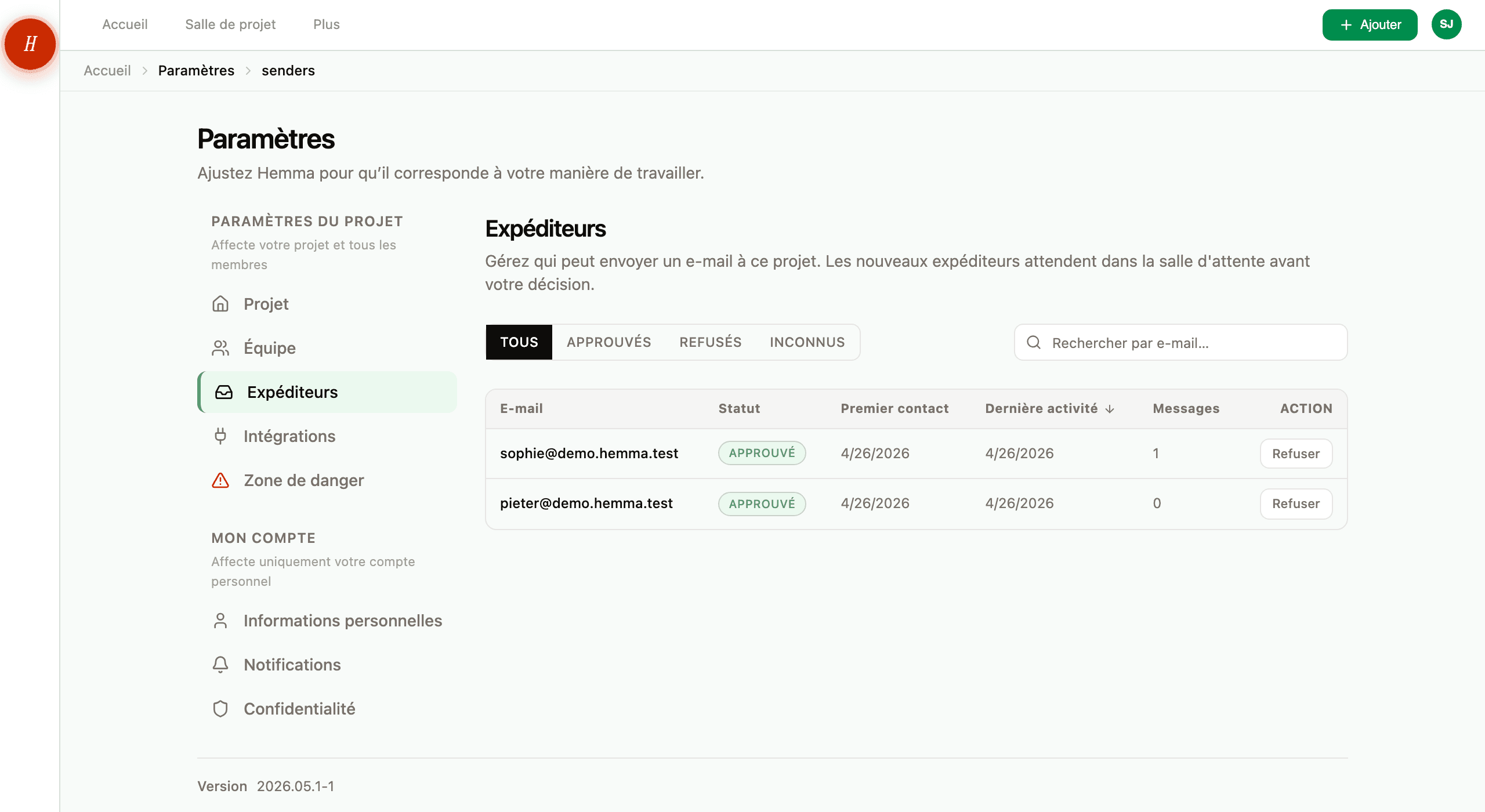
02Approuver un expéditeur
Appuyez sur Approuver sur une ligne. Trois choses se passent en même temps :
- Chaque message en attente de cet expéditeur commence à être traité. Les pièces jointes sont lues, les montants et les dates sont extraits, et les messages atterrissent dans votre projet comme du courrier normal.
- Chaque futur e-mail de cette adresse contourne la salle d'attente.
- Hemma enregistre qui a approuvé et quand, pour qu'une trace existe si vous avez besoin de revenir en arrière.
Vous n'approuvez qu'une fois. À partir de là, cet expéditeur est juste un expéditeur. Il apparaît dans votre boîte dès l'arrivée de son prochain e-mail.
03Rejeter un expéditeur
Appuyez sur Rejeter sur une ligne. Deux choses se passent :
- Chaque message en attente de cet expéditeur est mis en quarantaine pendant sept jours, puis supprimé.
- Chaque futur e-mail de cette adresse contourne la salle d'attente et va directement en quarantaine.
Pourquoi sept jours et pas immédiatement ? Parce que le rejet est rarement définitif. Peut-être que vous avez bloqué quelqu'un qui s'est avéré être un vrai entrepreneur utilisant une adresse personnelle. Pendant ces sept jours, vous pouvez appuyer sur Restaurer sur sa ligne, et Hemma renvoie les messages mis en quarantaine dans votre projet comme si vous les aviez approuvés depuis le début.
Après sept jours, les messages sont perdus. La restauration fonctionne toujours, mais seulement pour les futurs e-mails de cette adresse.
Si vous avez rejeté par erreur et que les sept jours ne sont pas passés, restaurez immédiatement l'expéditeur. Les messages sont encore récupérables. Après le septième jour, ils ne le sont plus.
04Questions courantes
Et si mon partenaire approuve un expéditeur que j'aurais rejeté ? La liste est partagée. Ce que décide votre partenaire s'applique à tout le projet, et inversement. Si une décision mérite discussion, discutez-en avant d'appuyer sur le bouton.
Puis-je approuver ou rejeter en lot ? Non. Chaque expéditeur est décidé un à la fois. En pratique, la salle d'attente se remplit rarement — la plupart des projets voient une poignée de nouveaux expéditeurs pendant le chantier, pas un déluge.
Et les e-mails des membres de l'équipe ? Toute personne ajoutée comme membre du projet est approuvée automatiquement à son arrivée. Ses messages et transferts contournent la salle d'attente. La seule façon de les arrêter est de la retirer du projet.
Serai-je averti·e des e-mails frauduleux ? Hemma scanne chaque e-mail entrant pour détecter le phishing, les injections de prompt et les pièces jointes dangereuses avant même la vérification de l'expéditeur. Tout ce qui est malveillant est écarté avant d'atteindre la salle d'attente — vous ne le verrez pas du tout dans la liste.
05En cas de problème
- Un e-mail attendu d'une adresse connue n'est jamais arrivé ? Voir un e-mail que j'ai transféré n'est pas arrivé.
- Vous ne trouvez pas un document qui aurait dû arriver par e-mail ? Voir je ne trouve pas un document que j'ai uploadé.