The AI extracted the wrong amount or contractor
01What you're seeing
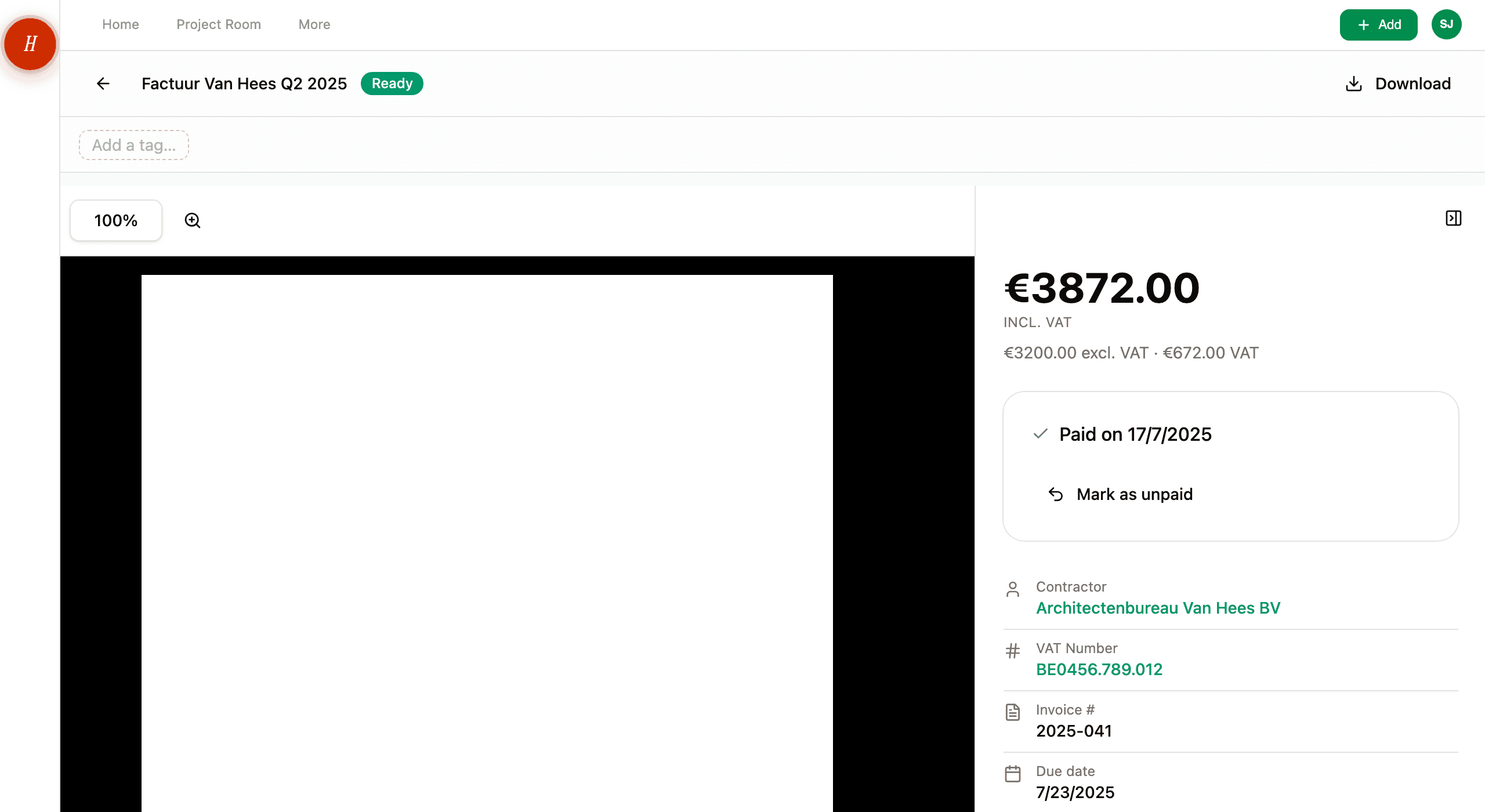
You opened a document — usually an invoice or quote — and the amount, the contractor, the VAT number, the date, or the invoice number is wrong. The original PDF on the left clearly shows one value; the extracted field on the right shows another.
02What you're seeing
You opened a document — usually an invoice or quote — and the amount, the contractor, the VAT number, the date, or the invoice number is wrong. The original PDF on the left clearly shows one value; the extracted field on the right shows another.
03Most likely cause
The AI misread the document. It happens. Cheap printers blur dots into commas, low-contrast scans drop digits, and creative invoice layouts confuse the structure. Two providers reading the same document independently catches a lot of this — but not everything.
The fix: Open the document detail page. Tap the field that is wrong. Type the correct value. The change saves immediately. The document is now Trusted with your value, and the budget figures recalculate.
If the wrong field is the document type itself — Hemma classified an invoice as "Other", say — change the type from the same detail page. Hemma re-runs the extraction with the correct type, which usually fixes the downstream fields too.
04Other things to check
-
Did you confirm a Needs-review screen recently? If you confirmed the details during a review and now realise a value was wrong, edit the field on the detail page. The audit log records both events. See reviewing and correcting what the AI extracted.
-
Is the contractor wrong on every invoice from one company? That points at a misread VAT number rather than a one-off. Fix the field on the affected document and update the contractor record under Organisations so future invoices auto-link.
-
Is the amount in the wrong currency? Hemma defaults to EUR for Belgian projects. If a foreign-currency invoice came in and Hemma read the number but kept the EUR symbol, fix the currency field on the detail page.
-
Did the extracted total not include VAT? Both totals are stored separately — net, VAT, and total-including-VAT. Check that the field labels match the value you expect. See net, VAT, and total — what Hemma uses where.
-
Is the line-item list empty when the invoice clearly has lines? Some PDFs deliver line items as images, which Hemma may not detect. The document-level totals are still trustworthy. Add line items by hand from the detail page if you need them for a budget split.
05What Hemma records
Every correction you make is logged. The original AI prediction, your replacement value, and which fields you changed all live with the document. We use this to spot patterns across all users — repeat misreads of the same kind of layout get flagged for the team to investigate.
It does not, however, retrain the model on your project specifically. The AI does not "learn" the new value for next time. Each new document is read from scratch.
06If none of this worked
If the same field keeps coming through wrong on documents from one specific contractor, even after you correct it, that is a layout issue worth telling us about. Email hello@gethemma.app with:
- The document name or ID (the URL of the detail page).
- A note about which field was wrong and what the correct value is.
- A copy of the PDF if you can.
We look at every report. Fixes that help one project usually help everyone.