Approving or rejecting a sender
A new sender shows up in your waiting room. You see the email address and one row with two buttons. That is the whole interface. This article walks through what happens when you press each one.
01Where to find it
Open Settings → Senders. The page lists every email address that has ever sent something to your project. Tabs at the top let you filter by status: All, Approved, Rejected, Unknown.
New senders appear under Unknown. That is the waiting room.
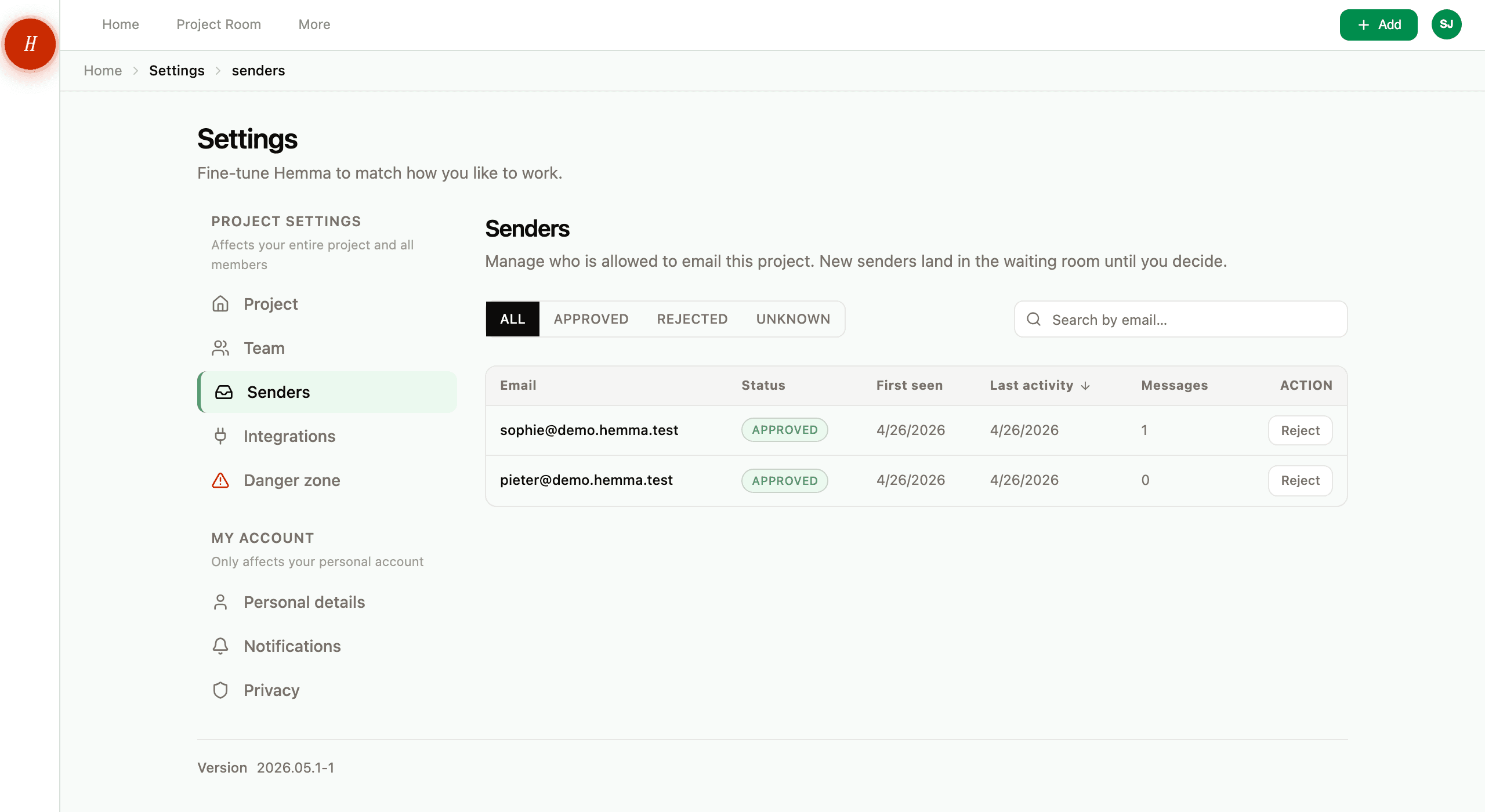
02Approving a sender
Press Approve on a row. Three things happen at once:
- Every message that was waiting from this sender starts processing. Attachments get read, amounts and dates get extracted, and the messages land in your project just like normal mail.
- Every future email from this address skips the waiting room.
- Hemma records who approved them and when, so there is a trail if you ever need to look back.
You only approve once. From that point on, this sender is just a sender. They show up in your inbox the moment their next email arrives.
03Rejecting a sender
Press Reject on a row. Two things happen:
- Every message that was waiting from this sender gets quarantined for seven days, then deleted.
- Every future email from this address skips the waiting room and goes straight to quarantine.
Why seven days, not immediate? Because rejection is rarely permanent. Maybe you blocked someone who turned out to be a real contractor using a personal address. Within those seven days you can press Restore on their row, and Hemma releases the quarantined messages back into your project as if you had approved them all along.
After seven days the messages are gone. Restoring still works, but only for future emails from that address.
If you rejected by mistake and the seven days have not passed, restore the sender immediately. The messages are still recoverable. After day seven they are not.
04Common questions
What if my partner approves a sender I would have rejected? The list is shared. Whatever your partner decides applies to the whole project, and the same goes the other way around. If a decision needs talking through, talk it through before pressing the button.
Can I approve or reject in bulk? No. Each sender is decided one at a time. In practice the waiting room rarely fills up — most projects see a handful of new senders during the build, not a flood.
What about emails from team members? Anyone you add as a project member is approved automatically when they join. Their messages and forwards skip the waiting room. The only way to stop them is to remove them from the project.
Will I be warned about scam emails? Hemma scans every inbound email for phishing, prompt injection, and dangerous attachments before any sender check happens. Anything malicious is dropped before it ever reaches the waiting room — you will not see it in the list at all.
05What if it goes wrong
- Email you expected from a known address never arrived? See an email I forwarded didn't arrive.
- Cannot find a document that should have come in by email? See I can't find a document I uploaded.